
FOP2 installation on not bundled versions of Asterisk
-
Hi!
First of all here's my environment:- My server runs a fresh installation of Debian 12 with Apache + MariaDB + PHP
- Asterisk 18 is compiled from source (not .deb version)
- I'm not using a bundled Asterisk solution like FreePBX or other.
I'm trying to install FOP2 v2.31.36 using the one liner script found in the documentation. No visible error during the process...
Then I created the fop2 database & user and updated config.php with database informations.The switchboard login page doesn't work: it's stuck at "One moment please - Connecting to server, attempt number 1"
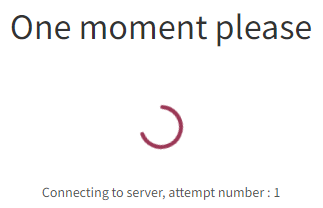
I don't see any errors in logs.
I can sucessfully connect to the admin page but after logging in, the dashboard is stuck with refreshing icons

In Apache2 error log, I can see that it fails opening a database that doesn't exists because I don't use Asterisk realtime:Uncaught mysqli_sql_exception: SELECT command denied to user '
fop2'@'localhost' for table 'asterisk'.'sippeers' in /var/www/fop2/admin/dblib.php:103Any ideas on what's going on and how to fix this?
-
-
-
I found out that the problem comes from the use of HTTPS: it works in plain HTTP mode.
But according to the documentation I found in the FAQ, it should be OK!I have these 2 lines in fop2.cfg:
ssl_certificate_file = /etc/apache2/certificates/myserver.domain.crt
ssl_certificate_key_file = /etc/apache2/certificates/myserver.domain.key
And these lines in my Apache2 configuration:
SSLEngine on
SSLCertificateFile /etc/apache2/certificates/myserver.domain.crt
SSLCertificateKeyFile /etc/apache2/certificates/myserver.domain.keyBoth .crt and .key files are readable by everyone...
Am I missing something?

Hello! It looks like you're interested in this conversation, but you don't have an account yet.
Getting fed up of having to scroll through the same posts each visit? When you register for an account, you'll always come back to exactly where you were before, and choose to be notified of new replies (either via email, or push notification). You'll also be able to save bookmarks and upvote posts to show your appreciation to other community members.
With your input, this post could be even better 💗
Register Login