Skip to content
  • Categories
  • Recent
  • Tags
  • Popular
  • World
  • Users
  • Groups
Skins
  • Light
  • Brite
  • Cerulean
  • Cosmo
  • Flatly
  • Journal
  • Litera
  • Lumen
  • Lux
  • Materia
  • Minty
  • Morph
  • Pulse
  • Sandstone
  • Simplex
  • Sketchy
  • Spacelab
  • United
  • Yeti
  • Zephyr
  • Dark
  • Cyborg
  • Darkly
  • Quartz
  • Slate
  • Solar
  • Superhero
  • Vapor

  • Default (No Skin)
  • No Skin
Collapse
Brand Logo

FOP2 Community Forum

C

Cool34000

@Cool34000
Unfollow Follow
About
Posts
9
Topics
4
Shares
0
Groups
0
Followers
0
Following
0

Posts

Recent Best Controversial

  • FOP2 on Raspberry OS Lite
    C Cool34000
    Support

    Hello,
    The Raspberry version of FOP2 isn't working on Raspberry OS Lite based on Bookworm (Debian 12).
    I think this is because Raspberry OS is using aarch64 based Kernel now.
    Version for CentOS (aarch64) is working just fine on this system!

    Just to let you know...


  • FOP2 installation on not bundled versions of Asterisk
    C Cool34000
    Support

    I found out that the problem comes from the use of HTTPS: it works in plain HTTP mode.
    But according to the documentation I found in the FAQ, it should be OK!

    I have these 2 lines in fop2.cfg:
    ssl_certificate_file = /etc/apache2/certificates/myserver.domain.crt
    ssl_certificate_key_file = /etc/apache2/certificates/myserver.domain.key
    And these lines in my Apache2 configuration:
    SSLEngine on
    SSLCertificateFile /etc/apache2/certificates/myserver.domain.crt
    SSLCertificateKeyFile /etc/apache2/certificates/myserver.domain.key

    Both .crt and .key files are readable by everyone...
    Am I missing something?


  • FOP2 installation on not bundled versions of Asterisk
    C Cool34000
    Support

    Anyone?


  • FOP2 installation on not bundled versions of Asterisk
    C Cool34000
    Support

    Heres's the admin page after logging in:


  • FOP2 installation on not bundled versions of Asterisk
    C Cool34000
    Support

    Hi!
    First of all here's my environment:

    • My server runs a fresh installation of Debian 12 with Apache + MariaDB + PHP
    • Asterisk 18 is compiled from source (not .deb version)
    • I'm not using a bundled Asterisk solution like FreePBX or other.

    I'm trying to install FOP2 v2.31.36 using the one liner script found in the documentation. No visible error during the process...
    Then I created the fop2 database & user and updated config.php with database informations.

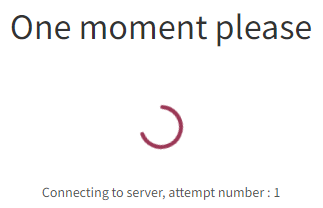
    The switchboard login page doesn't work: it's stuck at "One moment please - Connecting to server, attempt number 1"

    I don't see any errors in logs.

    I can sucessfully connect to the admin page but after logging in, the dashboard is stuck with refreshing icons

    In Apache2 error log, I can see that it fails opening a database that doesn't exists because I don't use Asterisk realtime:

    Uncaught mysqli_sql_exception: SELECT command denied to user '
    fop2'@'localhost' for table 'asterisk'.'sippeers' in /var/www/fop2/admin/dblib.php:103

    Any ideas on what's going on and how to fix this?


  • FOP2 v2.31.22 on Raspberry Pi
    C Cool34000
    Support

    Hi,

    I'm trying to update FOP2 on my Raspberry Pi with Debian 8 (not Raspbian).
    I was running v2.30.3 for Debian RPI and was happy with it but I'm now trying to update to v2.31.22 for Debian RPI.
    I've got this error when trying to start/restart fop2 service:

    Can't load '/tmp/par-726f6f74/cache-2312cfdda51ea9b74a50b9c8c4b9963b50338da6/9798ca90.so' for module Filter::Crypto::Decrypt: libcrypto.so.1.0.2: Ne peut ouvrir le fichier d'objet partagé: Aucun fichier ou dossier de ce type at /usr/lib/arm-linux-gnueabihf/perl/5.24/DynaLoader.pm line 187.
    at /usr/share/perl5/PAR/Heavy.pm line 123.
    BEGIN failed--compilation aborted at /tmp/par-726f6f74/cache-2312cfdda51ea9b74a50b9c8c4b9963b50338da6/inc/lib/Filter/Crypto/Decrypt.pm line 37.
    Compilation failed in require at script/fop2_server.pl line 1.
    BEGIN failed--compilation aborted at script/fop2_server.pl line 1.

    So I searched on this forum and type this code on my box:

    # ls -l /usr/lib/arm-linux-gnueabihf/libcrypt*
    -rw-r--r-- 1 root root   39296 juin  18  2017 /usr/lib/arm-linux-gnueabihf/libcrypt.a
    -rw-r--r-- 1 root root 1123652 mars   1 23:04 /usr/lib/arm-linux-gnueabihf/libcrypto.so.1.0.0
    lrwxrwxrwx 1 root root      38 juin  18  2017 /usr/lib/arm-linux-gnueabihf/libcrypt.so -> /lib/arm-linux-gnueabihf/libcrypt.so.1
    # ln -s /usr/lib/arm-linux-gnueabihf/libcrypto.so.1.0.0 /usr/lib/arm-linux-gnueabihf/libcrypto.so.1.0.2
    # ldconfig
    

    Now I'm getting a new error when trying to start fop2 service:

    Can't load '/tmp/par-726f6f74/cache-2312cfdda51ea9b74a50b9c8c4b9963b50338da6/9798ca90.so' for module Filter::Crypto::Decrypt: /usr/lib/arm-linux-gnueabihf/libcrypto.so.1.0.2: version `OPENSSL_1.0.2d' not found (required by /tmp/par-726f6f74/cache-2312cfdda51ea9b74a50b9c8c4b9963b50338da6/9798ca90.so) at /usr/lib/arm-linux-gnueabihf/perl/5.24/DynaLoader.pm line 187.
    at /usr/share/perl5/PAR/Heavy.pm line 123.
    BEGIN failed--compilation aborted at /tmp/par-726f6f74/cache-2312cfdda51ea9b74a50b9c8c4b9963b50338da6/inc/lib/Filter/Crypto/Decrypt.pm line 37.
    Compilation failed in require at script/fop2_server.pl line 1.
    BEGIN failed--compilation aborted at script/fop2_server.pl line 1.

    My OpenSSL version is quite old (Debian 8), so I guess this is the problem:

    # openssl version
    OpenSSL 1.0.1t  3 May 2016
    

    Any idea on how to fix this error?
    Thanks in advance!


  • Default lang in 2.30.00 final
    C Cool34000
    Support

    Thanks for the help.
    Changing to www-data was not enough.

    I fixed it by installing php5-sqlite

    aptitude install sqlite -y
    

    Thanks a lot


  • Default lang in 2.30.00 final
    C Cool34000
    Support

    Hi,

    Settings is not working for me: I get a blank page.
    Could this be because I don't use FreePBX? (Stock version of Asterisk v11 on Debian 7 x64)


  • Default lang in 2.30.00 final
    C Cool34000
    Support

    Hi,

    I can't find where to choose de default language since v2.30.00.
    I used to configure it in the presence.js file but since v2.30.00 the default language is always English even if another language is choosen.
    A few other options are missing in the presence.js file that were very helpful for configuring default stuffs (like line display).

    Have these options moved to another file or am I missing something?

    Thanks in advance.

  • Login

  • Don't have an account? Register

  • Login or register to search.
Powered by NodeBB Contributors
  • First post
    Last post
0
  • Categories
  • Recent
  • Tags
  • Popular
  • World
  • Users
  • Groups